Mario Artist: Polygon Studio
The title of this article is from the English Super Mario Bros. Encyclopedia, which reportedly sourced some names from fan wikis.
If a higher-priority source is found, then the article should be moved to the new title.
| Mario Artist: Polygon Studio | |
|---|---|

| |
| Developers | Nintendo R&D 1[1] Nichimen Graphics |
| Publisher | Nintendo |
| Platform | 64DD |
| Release date |  August 31, 2000[2] August 31, 2000[2] |
| Genre | Creative |
| Mode | Single player |
| Format | 64DD:
 Magneto-optical drive Magneto-optical drive |
| Input | Nintendo 64:
|
| Serial code | NUD-DMGJ-JPN |

Mario Artist: Polygon Studio is the fourth and final game released in the Mario Artist series and overall Super Mario franchise on the 64DD, released in Japan on August 31, 2000.[2] The game allows players to assemble models from pre-made or player-made parts and use them in a variety of side modes. The game features interconnectivity with other Mario Artist games Talent Studio and Communication Kit. By swapping disks, 3D models created within Polygon Studio can be exported to be used as talents in Talent Studio's movie creation modes. Additionally, 3D models could be uploaded with Communication Kit to the Randnet, where they would be printed in the form of paper crafts and mailed back to the player.
Gameplay[edit]
Mario Artist: Polygon Studio is primarily a 3D-modeling game where players can create objects such as creatures, vehicles or buildings from pre-made parts (known as "blocks"). Beyond the avaliable blocks, players are also able to use a simple but robust 3D modeling mode to create their own blocks, by modeling with individual polygons and texturing them. They are then able to photograph their creations in an animated stage, or use them in the Sound Bomber and Go Go Park minigames, as well as the Jikken World side mode, an open world mode centered around finding blocks to improve the player's vehicle.
Controls[edit]
| Action(s) | Input(s) |
|---|---|
| Move cursor Adjust blocks (when selected) |
 / / 
|
| Select buttons and blocks Advance page |
 / / 
|
| Rotate or Zoom into a creation Return page |
 / / 
|
| Move cursor to exit button | 
|
| Undo | 
|
| Move the screen | 
|
| Act as the button / Slow mouse movement by 50%[a]
|

|
- ^ Can be configured in the options menu
3D modeling modes[edit]
There are two main modes: Kantan ni Tsukuru (かんたんにつくる, "Creating Easily") and Pro e no Michi (プロへのみち, "Road to Pro"). Kantan ni Tsukuru is geared towards beginners, only allowing players to use pre-made blocks to create works. Pro e no Michi, conversely, allows players to model their own blocks in a simple 3D modeling program, in addition to the pre-made blocks. Pro e no Michi is divided in three modes, of which the first one, Block Dome, is largely equivalent to the Kantan ni Tsukuru main mode.
The Gallery (ギャラリー, gyararī) allows the player to view their saved creations.
Block Dome[edit]

The Block Dome (ブロックドーム, burokku dōmu) is a mode in Pro e no Michi. In it, players can create Block Sakuhin (ブロック作品, burokku sakuhin, "block creations") using pre-made blocks. Players are able to resize, rotate and move blocks in order to build creations. Block can be from one of five categories:
- Parts Blocks (パーツブロック, pātsu burokku): Basic blocks that act as the body of the build.
- Animation Blocks (アニメーションブロック, animēshon burokku): Animated blocks that move in certain ways.
- Sound Blocks (サウンドブロック, saundo burokku): Blocks that continuously emmit sounds.
- ? Blocks (?ブロック, ? burokku): Bonus blocks that can be used as decoration on a creation. More are unlocked by finding them in Jikken World.
- Dōryoku Blocks (どうりょくブロク, dōryoku burokku, "Power Blocks"): Blocks that act as wheels or legs, allowing creations to move. More are unlocked by finding them in Jikken World.
From Block Dome, players are able to take their creations on two side modes: Chotto Kyūkei (ちょっときゅうけい, "Quick Break") and Jikken World (じっけんワールド, jikken warūdo, "Experimental World"). In Chotto Kyūkei, players can play two minigames, Go Go Park and Sound Bomber.
Modeler Rocket[edit]

In the Modeler Rocket (モデラーロケット, moderā roketto) mode, players are able of creating their own blocks, called 3D Sakuhin (3D 作品, "3D creations"), by utilizing a basic 3D modeling software capable of cutting, extruding, adding bevels and other functions. Players can select from various base meshes to start with, such as cubes, cyllinders, animals and houses, as well as other models such as Mario, Yoshi and Koopa Troopa from Super Mario 64.
The mode also features a number of tutorial videos showcasing different objects being modelled with the editor's features.
Objects created in this mode can be imported into Mario Artist: Talent Studio as props for movies.
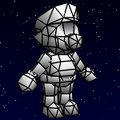
マリオ
(Mario)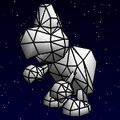
ノコノコ
(Koopa Troopa)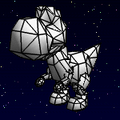
ヨッシー
(Yoshi)


Stage UFO[edit]

The Stage UFO (ステージUFO, sutēji UFO) mode is the last mode accessed from Pro e no Michi. In it, players can position their creations on pre-made 3D stages, with customizable backgrounds and lighting. They can also overlay special effects such as rain or falling leaves on top of the scenery. They can then access the chosen scenery from the Pro e no Michi menu for observation or taking photos.
Side modes[edit]
Go Go Park[edit]
Go Go Park (ゴーゴーパーク, Gō Gō Pāku) is one of the two minigames found in the Block Dome. In it, the player must "wind up" their model (by pressing  or moving the mouse forward) and try to get them to stop as close to the edge of a cliff as possible without going over. The minigame features three stages of difficulty. The first stage takes place on a grassy plains and the layout is a straight line. The second stage takes place on a fiery lava landscape, with the layout now having an incline. The third stage takes place in a starry night landscape and its layout features a slope going up and down in the middle. After beating all three stages, they repeat in order.
The minigame serves as a predecessor to the minigame Chicken Race in WarioWare, Inc.: Mega Microgame$!
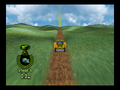
Stage 1
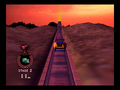
Stage 2
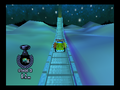
Stage 3


Sound Bomber[edit]
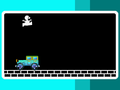
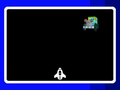
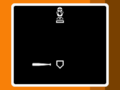
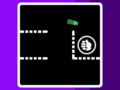
Sound Bomber (サウンドボンバー, Saundo Bonbā) is the other minigame found in Block Dome. It is a collection of eight simple minigames involving the player's creation that must be completed in quick succession by utilizing simple controls. The minigame has three levels of difficulty and after three mistakes, the minigame ends. Sound Bomber would go on to inspire the creation of the WarioWare series.[1]
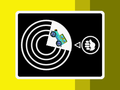
ROULETTE
JUMP
SHOOT
BASEBALL
MAZE
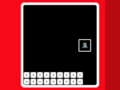
BLOCK
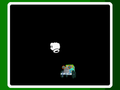
FLIES
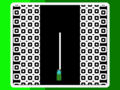
RACE


Jikken World[edit]

- Main article: Jikken World
Jikken World is a side mode accessed from the Block Dome. In it, the player can control their creations and drive them around a series of worlds, finding Dōryoku Blocks and ? Blocks along the way. These blocks can then be added to the player's creations, allowing them to explore further. Each Dōryoku Block added on the vehicle, has different stats such as speed and traction on snow, sand and thorny terrain or maximum altitude. By having different types of blocks, the vehicle can have separate walking, driving, swimming and flying modes. Spread around Jikken World are a series of hints written on slices of bread by Udetate and Banzāi, giving advice on how to control the vehicle, as well as secrets about the world itself.
Staff[edit]
- Main article: List of Mario Artist: Polygon Studio staff
Mario Artist: Polygon Studio was directed by Hirofumi Matsuoka, who would go on to direct WarioWare, Inc.: Mega Microgame$!, a game which follows the same format of quick microgames as the Sound Bomber minigame.
Gallery[edit]
Artwork[edit]
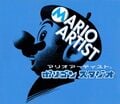
Cover art
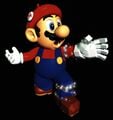
Mario artwork


Screenshots[edit]
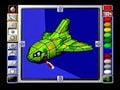
Pre-release
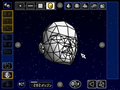
Editing a face polygon in Mario Artist: Polygon Studio.
Title screen
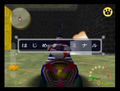
The Hajime Terminal in the Jikken World
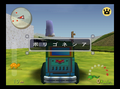
The entrance to Porigoneshia
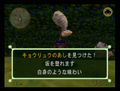
Collecting a new part in the Jikken World
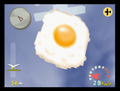
A flying egg pursuing the player
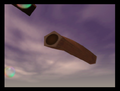
A tube creature in the overworld


Miscellaneous[edit]
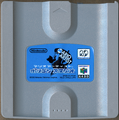
Game drive
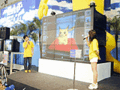
A photo of the Mario Artist series demonstration event in Nintendo Space World '99, which the game was demonstrated


References to other games[edit]
- One of the Animation Blocks is a brown striped tail which resembles Raccoon Mario's or Tanooki Mario's tail.
- The Baby can be seen floating in the background of the model creation menu, and makes its signature noise when clicked on.
- As with all other Mario Artist titles, a dog's head serves as the "Undo" icon, a reference to Undodog.
- When starting up the game, there is a chance that a scene of Udetate and Banzāi doing aerobics will play, just like in this game. They also appear in Jikken World leaving behind messages, and can be eventually collected and used as blocks by the player.
- Untextured versions of Mario, Yoshi and Koopa Troopa's models from this game can be loaded in the Polygon Editor.
- A part called the Power Star can be found in the Jikken World mode, which makes all Power Block parts perform like their most superior counterparts.
- An untextured version of Kirby's model from this game can be found in the Polygon Editor.
References in later games[edit]
- The concept of microgames originated from Polygon Studio's Sound Bomber mode. The introduction stage taking place inside a boombox is a direct reference to Sound Bomber. Additionally, all of the Sound Bomber microgames appear in this game, under different names and with different graphics and controls:
- JUMP appears as Crazy Cars.
- BLOCK appears as Diamond Dig.
- SHOOT appears as Repellion.
- ROULETTE appears as Wario Whirled.
- BASEBALL appears as Batter Up.
- FLIES appears as Mario Paint: Fly Swatter.
- RACE appears as Hectic Highway and Racing 112.
- MAZE appears as Maze Daze.
Names in other languages[edit]
| Language | Name | Meaning | Note(s) | Ref. |
|---|---|---|---|---|
| Japanese | マリオアーティスト ポリゴン スタジオ Mario Ātisuto: Porigon Sutajio |
Mario Artist: Polygon Studio | [3] | |
| Italian | Mario Artist: Polygon Studio | - | [4][5] |
References[edit]
- ^ a b Kikizo (April 7, 2006). Nintendo R&D1 Interview. Kikizo Archives. Retrieved October 26, 2025. (Archived April 11, 2006, 02:39:46 UTC via Wayback Machine.)
- ^ a b Sakai, Kazuya (Ambit), et al. (October 19, 2015). 『スーパーマリオブラザーズ百科: 任天堂公式ガイドブック』(Super Mario Bros. Hyakka: Nintendo Kōshiki Guidebook). Tokyo: Shogakukan (Japanese). ISBN 978-4-09-106569-8. Page 244.
- ^ Box art
- ^ Sakai, Kazuya (ambit), kikai, Akinori Sao, Junko Fukuda, Kunio Takayama, Ko Nakahara (Shogakukan), and Marco Figini, editors (2018). Super Mario Bros. Enciclopedia. Translated by Marco Amerighi. Milan: Magazzini Salani (Italian). ISBN 889367436X. Page 244.
- ^ Sakai, Kazuya (ambit), kikai, Akinori Sao, Junko Fukuda, Kunio Takayama, Ko Nakahara (Shogakukan), and Marco Figini, editors (2025). Super Mario Bros. Enciclopedia (2nd ed.). Translated by Alessandro Apreda. Milan: Magazzini Salani (Italian). ISBN 979-1259575760. Page 244.
External links[edit]

| Mario Artist: Polygon Studio | |
|---|---|
| Characters | Baby • Udetate and Banzāi |
| Objects and obstacles | Block • Dash no Panel • Flying egg • Jump no Panel • Shokupan • Tube creature |
| Locations | Hajime Terminal • Henkyō Inferno • Kōkōdo Paradiso • Kūchū Teien Porigonā • Porigoneshia |
| Side modes | Go Go Park • Jikken World • Sound Bomber |
| Other | Staff |
| Nintendo 64 games | |
|---|---|
| Super Mario franchise | Super Mario 64† (1996) • Mario Kart 64† (1996) • Mario no Photopi (1998) • Mario Party (1998) • Mario Golf (1999) • Mario Artist: Paint Studio* (1999) • Mario Party 2 (1999) • Mario Artist: Talent Studio* (2000) • Mario Artist: Communication Kit* (2000) • Mario Tennis (2000) • Paper Mario† (2000) • Mario Artist: Polygon Studio* (2000) • Mario Party 3 (2000) • Dr. Mario 64† (2001) |
| Donkey Kong franchise | Diddy Kong Racing (1997) • Donkey Kong 64 (1999) |
| Yoshi franchise | Yoshi's Story† (1997) |
| Crossovers | Super Smash Bros.† (1999) |

